
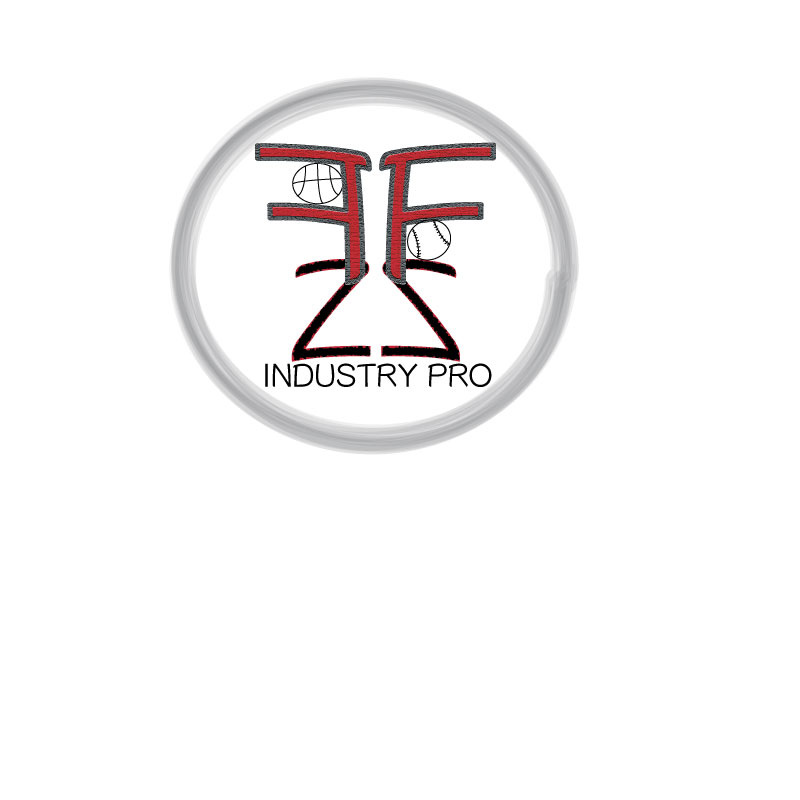
For this logo draft project, I decided to a create a design that incorporates my initials as well as a few graphics. The project design I created directly relates to my course topic. This logo could be something that I potentially use to market myself for my future career. My course topic is the path I’ve taken and plan to take in the sports management industry. I used my initials because this topic is focused around my personal path. The sports objects incorporate potential sports I would work for once I am in the field.
For the design process, I gained inspiration from a website centralized around creating a personal logo. This page outlined expert tips in designing the logo itself and how to best represent your personal brand. I was also influenced through my research online of other sports agent logos in the industry. These elements are significant as they represent who I am and the brand I wish to promote to those who could hire me. To begin my design process, I started to research various logos of professionals in the sports management world. From here I used that inspiration to sketch my logo and transfer it to the artboard.
To create the various elements, I used in this project I primarily utilized the ellipse tool as well as the text tool. I only used elements that I created rather than using the work of others. To begin the process, I first inserted a circle to outline the logo by using the ellipse tool. From there I selected the circle to edit and selected the mop format design and set it to six points. To continue I utilized the text tool within illustrator to type my initials in separate boxes. I selected my initial F and used the effect texture and the craquelure option. From there, I selected my other initial and used the effect formatting under pixelate and the crystalize option. I grouped these initials once I used the move tool to place them in my desired location. Once grouped I duplicated the text and then reflected it. I positioned both sets of initials using the move tool and sent the Z to the back using the arrange option. I again utilized the elliptical tool to create the basketball and baseball. By using the arc tool, I was able to create the seams of the balls themselves. A few of the technical challenges I encountered were ensuring that the seams of the balls were curved using the arc tool. I noticed that the arc tool can be difficult to accurately place the arc. However, I found that placing the arc point farther from where you intend will allow the arc to be more defined.
Inspiration: https://www.designhill.com/design-blog/expert-tips-to-create-a-personal-logo/
https://99designs.com/logo-design/contests/sports-management-company-logo-633775
 Felicia Ziemer
Hello. I really like how you approached this design. The initials clearly portray the topic you have going regarding your own personal story and path. The overall theme is simple yet powerful. One aspect I especially liked about this logo is the textures you used for certain items. For instance, the circle around the whole logo has a sort of smeared affect, I really like that detail, and the texture of the initials in the middle. One recommendation I have for you regarding this logo is adjustments that affect the readability of the initials at first glance. When I originally looked at this logo, the symbols in the middle looked complex and made my brain think it was more complicated than it actually is. I would recommend maybe filling in the whole circle with color to make it a little less bland, and maybe make the two halves of the logo different colors. This would create a line between the letters and the flipped letters, potentially making it easier for the audience to more quickly understand what is going on in the logo. The whole thing just seems a little bland, so some subtle colors would help anyway. Another recommendation I have focuses on the “Industry Pro” at the bottom. It is a little small and hard to read, especially if this logo were to be printed on something very small. I would try maybe separating the F and the Z with some space in the middle, and putting the phrase in the middle between the letters. Overall, great job on this, I like it, and I am excited to see how this turns out for the final draft!
LikeLike
Hi Felicia!
I really enjoy your logo! There is quite a bit of elements that you incorporated into your logo which is nice, I feel like it keeps you looking to see if there’s more. I think that having all the elements from graphics to the letters really bring the design together and give it life. The only thing that I would say is maybe add more sport equipment in you logo to connect more with you topic. Maybe even make the equipment stand out more with colors and thinker lines. You could even use different pieces of equipment to form the letters for your logo if you really wanted to. Just so that it has more elements off your topic present. Overall though I really do think you logo is well put together and connects with your topic amazingly, just add some final details and it will be perfect.
LikeLike
Hello Felicia!
I think that you are off to a great start with your draft. I think that even though it is only your draft, the design looks very professional. The thing that immediately jumps out to me is how you incorporated a baseball and a basketball into your design. I think that it was a very clever way to make it clear of what sports you to be involved with, and it also is put in the logo seamlessly enough that it does not take away from the rest of the design. The first piece of feedback that I can give you of where the logo could be stronger is either outlining or changing the font of the Z’s. The reason that I say this is because they seem just a tad out of focus compared to the rest of the design. The other feedback that I would give is to change the color of the outline of the design? I would not go super loud colors, and I do like the style of the circle around the logo, but I think that it would help if it had a little more color to it to catch people’s eye. Keep up the good work!
LikeLike